

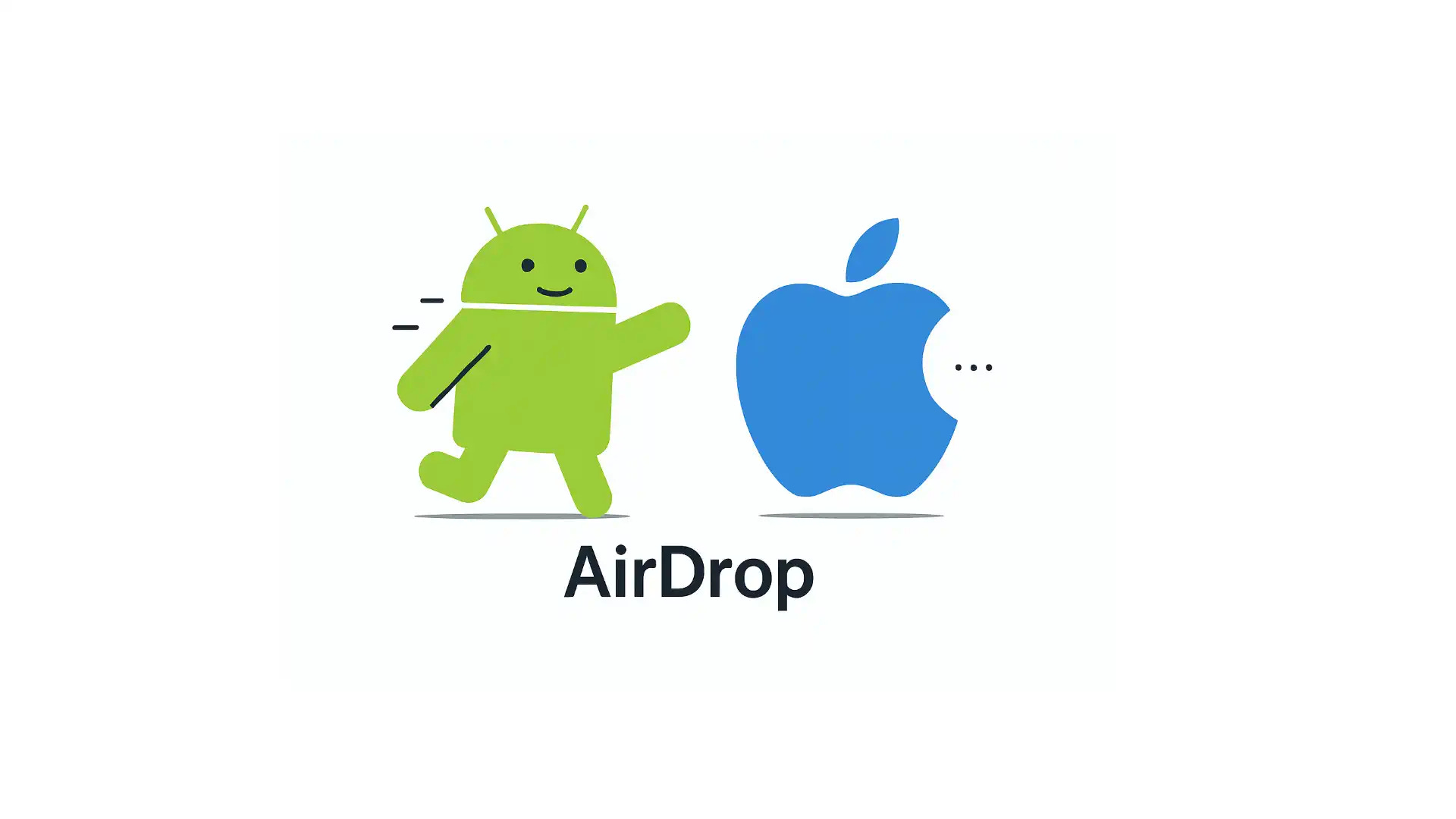
When Android Phones “Force-Compat” with AirDrop
AirDrop has long enabled fast, lossless, cable-free transfers across Apple devices, forming a signature and tightly guarded advantage within the Apple ecosystem. But this long-standing situation has taken an unexpected turn. A few days ago, Google announced that the Pixel 10 can now interoperate with AirDrop without Apple’s involvement, bringing AirDrop-compatible wireless sharing to Android through Quick Share.
Shortly after, Qualcomm stated that Snapdragon-powered Android devices will “soon” support the same capability. In other words, this is no longer a Pixel-only experiment—it may spread quickly across the broader Android landscape.
Beyond Google’s technical effort, the decisive catalyst behind this breakthrough is likely the EU’s Digital Markets Act (DMA). AirDrop is built on AWDL (Apple Wireless Direct Link), a protocol that remains entirely private. However, under DMA’s interoperability requirements, Apple added support for Wi-Fi Aware starting in iOS 26. This dramatically lowered the barrier for this “forced compatibility”: Android phones can now broadcast standard Wi-Fi Aware signals to discover iPhones. And because this relies on an official industry standard, discovery is fast, connections are stable, and Apple has very limited grounds—legally or technically—to block it.
Over the years, the Android ecosystem has repeatedly initiated “pro-Apple compatibility”: from cross-platform file-transfer apps, to manufacturers adding support for Apple’s Live Photo format, and now to system-level near-field sharing. On one hand, this reflects the fact that many of Apple’s user experiences are genuinely superior; on the other hand, it shows how far Android manufacturers are willing to go to attract users embedded in the Apple ecosystem—actively aligning their experience with Apple’s. DMA, often criticized as overly strict, has in this case served as a perfectly timed catalyst, nudging Apple toward greater “openness” and enabling more seamless cross-platform experiences for consumers.
For Apple, however, the real challenge goes beyond regulatory battles. To maintain its ecosystem advantage, it must continue delivering new, compelling experiences. If one day such “forced compatibility” is no longer needed—because Apple’s distinctiveness has faded—that would be the scenario Apple fears far more than today’s developments.
Previous Issue|Newsletter Archive
This Week’s Sponsor

Native macOS AI Client: GPT, Claude, Gemini & Local Models
Stop Context Switching · Truly Native · Ultra-Low Memory Usage
Tired of browser tabs eating up your RAM? Try BoltAI.
It seamlessly integrates GPT, Claude, Gemini, and Ollama local models directly into your development workflow. Access the latest AI capabilities in a unified, native interface.
With features like screen context awareness and instant code explanation, it’s the ultimate native AI tool built for developers.
🎉 Special Offer for Fatbobman Readers:
Use code BFCM25 for 51% OFF
Recent Recommendations
From iOS to Android: A Candid Look at My Real-World Journey into Dual-Platform Development
For many developers in the Apple ecosystem, Android feels both familiar and distant: massive user base yet fragmented ecosystem; significant revenue potential yet uncertain investment returns. This ambivalence keeps many hesitating over whether to develop an Android version. Senior iOS developer Shudao Wang has pursued a “dual-platform parallel” strategy for years. In this article, he shares real-world experiences from dual-platform development: how to align features across platforms, trade-offs when facing system differences, variations in operational performance, and changes in revenue structure.
Skip Framework: A Cross-Platform Journey for Native iOS Developer
Maxim Ermolaev shares his practical experience migrating a SwiftUI app to Android, revealing Skip’s real-world capabilities and boundaries. For SwiftUI features Skip already supports, the migration process is relatively smooth. For advanced features not yet covered, the author uses ComposeView to embed Jetpack Compose code directly within the same Swift file, providing customized implementations for the Android side. Maxim’s conclusion is pragmatic: Skip is sufficient for iOS-first teams to quickly obtain a “functional and consistent” Android client. However, achieving pixel-perfect visual and interaction parity across both platforms requires more platform-specific work on the Android side, or using Skip Lite to share business logic while keeping the UI fully native.
As the Swift Android SDK matures and tools like Skip continue to improve, Swift’s possibilities in the Android world are rapidly transitioning from “experimental” to “production-ready.” These two authors present the current real-world path from different perspectives, providing valuable reference for Swift developers considering “crossing to the other side.”
Building Mac Farm: Running 2000+ iOS Pipelines Daily
In this article, Yusuf Özgül details how the Trendyol team built a macOS Farm consisting of 130 devices from scratch to comfortably support over 2000 iOS pipelines daily. The entire system uses a self-developed VM management system based on Apple Virtualization Framework, solves secure auto-login for batch devices through Authorization Plug-ins, identifies and fixes performance bottlenecks in VM’s P/E Core recognition, and builds a Grafana monitoring and alerting system to achieve a self-healing Runner cluster. For pipelines, performance is further enhanced through Tuist Cache (approximately 70% faster builds) and selective testing (approximately 80% faster tests).
A rare comprehensive case study of macOS Farm implementation: from virtualization architecture to performance tuning, from logging and monitoring to pipeline design, covering nearly all key aspects needed for enterprise-level iOS CI/CD.
Building iOS and Mac apps in Zed: SwiftUI Previews
While developers can now develop and debug iOS apps in Zed, they still cannot access Xcode’s killer feature: Preview. The typical workaround is to keep an Xcode preview window open alongside Zed, but Xcode doesn’t automatically jump to the corresponding Preview when switching between SwiftUI files. Adrian Ross shares a clever trick: using a script combined with Zed Task to synchronize Xcode with Zed’s editing view, automatically displaying the corresponding Preview in an external preview window, essentially replicating the “using Preview in Zed” experience.
This approach isn’t limited to Zed—any macOS editor can use similar methods to work seamlessly with Xcode’s Preview functionality.
Enabling Selection, Double-Click and Context Menus in SwiftUI List Rows on macOS
macOS’s SwiftUI List differs significantly from iOS in desktop-specific interactions like row selection, double-click, and context menus. Developers need to use a List initializer with a selection parameter to enable selection functionality, and use the contextMenu(forSelectionType:menu:primaryAction:) modifier to implement both double-click operations and context menus. Compared to iOS, macOS’s List is closer to AppKit’s table-style interaction model. In this article, Gabriel Theodoropoulos demonstrates with concise examples how to properly combine these APIs to implement standard desktop interactions in macOS SwiftUI lists.
Using Associated Domains Alternate Mode during Development
When developing features involving Associated Domains (such as Universal Links, Shared Web Credentials, or App Clips), iOS by default fetches the apple-app-site-association (AASA) file through Apple’s CDN rather than directly from the server. While this works well in production, it causes inconvenience during development: file changes require waiting for CDN propagation, and local or staging servers may not be publicly accessible at all. Natascha Fadeeva introduces Apple’s Alternate Mode: by adding suffixes like ?mode=developer to Associated Domains entries, iOS bypasses the CDN and fetches the AASA file directly from the server. With this mechanism, developers can make configurations take effect immediately and debug in local environments without waiting for CDN cache refresh, significantly improving development efficiency.
Understanding Data Races: A Visual Guide for Swift Developers
Data races are a core concept in concurrent programming that’s difficult to understand. Krishna uses a series of illustrations—several ToddlerBots (toddler robots) coloring the same coloring page together—to visually demonstrate how shared mutable state causes chaos in concurrent environments: from minor result inconsistencies to logic failures and even crashes caused by interleaved reads and writes.
The article’s greatest strength is being “richly illustrated.” The ToddlerBot visual narrative successfully transforms a traditionally dry and serious technical topic into something vivid and easy to understand. Krishna indicates that future articles will continue using the ToddlerBot character to build a coherent mental model for Swift concurrency.
Teaching AI to Read Xcode Builds
While today’s AI may not consistently outperform seasoned developers at writing code, it is almost always superior at reading data and breaking down complex problems—especially when the information it receives is rich and well-structured. With Apple open-sourcing swift-build, the Tuist team gained access to detailed build-event data directly from the build service, storing it in SQLite so AI agents can genuinely understand a build rather than merely scrape xcodebuild’s text output.
In this article, Pedro Piñera walks through this approach and demonstrates, with real-world cases such as Wikipedia iOS and Tuist, how AI can leverage structured build data to provide diagnostics and optimization insights far beyond traditional log parsing. The result is a clear technical path toward real-time build observability and AI assistants that truly “understand” the build system.
Tools
SwiftUI-Popover: A Popover Library Supporting watchOS
While SwiftUI provides the .popover modifier, its behavior varies across platforms: on iPhone it degrades to a sheet, and watchOS doesn’t support it at all. Quirin Schweigert‘s SwiftUI-Popover is a lightweight, pure SwiftUI popover library that provides consistent popover functionality across platforms, supporting all SwiftUI platforms including watchOS. The library’s distinctive feature is that arrows automatically follow the attachment point position and can be flexibly embedded into any view hierarchy.
// 1. Attach popover
Image(systemName: “globe”)
.swiftUIPopover(
isPresented: $showPopover,
isDismissible: true, // Tap background to dismiss
isExclusive: true, // Exclusive display
preferredAttachmentEdge: .top // Prefer attaching at top
) {
Text(”Popover content”)
}
// 2. Enable popover rendering on container view
.presentPopovers()SwiftIR: Modern ML Compiler Infrastructure for Swift
Currently available ML paths in Swift mainly include Foundation’s _Differentiation, handwritten Accelerate/Metal, and the now-discontinued Swift for TensorFlow. However, they face performance bottlenecks, high development costs, or lack of maintenance respectively. SwiftIR, developed by Pedro N. Rodriguez, emerged as a solution to these challenges.
SwiftIR intercepts Swift’s native automatic differentiation (@differentiable) operations through DifferentiableTracer, automatically builds complete computation graphs, and compiles to the same runtime (XLA/PJRT) as JAX/TensorFlow for execution on CPU/GPU/TPU. The project’s biggest breakthrough: While loop compilation time remains constant (~43ms, compared to tens of minutes for traditional unrolling), gradient overhead is only ~1.0x (compared to 2.5-4.3x for standard Swift), with performance significantly superior to standard Swift at scale. This brings truly modern ML compiler infrastructure to Swift.
Thanks for reading Fatbobman’s Swift Weekly! This post is public so feel free to share it.
当 Android 手机『强行兼容』AirDrop
AirDrop 让使用者可以在各种不同类型的苹果设备上高效、无损的数据传输,它一直是苹果生态的专属且核心功能。但,这种情况现在出现了“奇怪”的变化。几天前,谷歌宣布在 Pixel 10 中,在没有苹果的参与下,为 Quick Share 提供了 AirDrop 的兼容机制,实现了安卓手机与苹果手机基于 AirDrop 的无线互通。
随后,高通也宣布其搭载 Snapdragon 的 Android 设备“很快就会”支持这一路线,也就是说这不再是 Pixel 的专属功能,而有望扩展到更广泛的 Android 手机阵营。
除了谷歌的技术能力外,本次互通的最大推手或许正是 DMA(欧盟《数字市场法案》)。AirDrop 依赖的技术是 AWDL (Apple Wireless Direct Link),即便到现在也是私有的。但是 DMA 的要求下,苹果从 iOS 26 开始引入了对 Wi-Fi Aware 支持,这大幅降低了本次“强行兼容”的难度。安卓手机可以直接发出标准的 Wi-Fi Aware 信号去寻找 iPhone,并且由于走的是官方标准协议,连接极其稳定,发现速度极快,而且苹果很难有理由去封杀。
从厂商提供跨端应用实现无线互联,到部分厂商主动适配苹果的 livePhoto,这些年从安卓阵营发起的对苹果的主动兼容屡见不鲜。这一方面表现出了苹果的很多实现和体验确有过人之处,另一方面也展现出安卓厂商更愿意为了获取苹果生态的用户而主动出击,在体验上对齐。DMA 这种在某些方面看起来过分苛刻的法规,又恰如其分的促使了苹果的“开放”,从而创造出更多的跨平台无缝体验,满足了相当一部分消费者的需求。
对于苹果来说,在法律攻防战外,只有不断地推出更具吸引力的新功能才能保持苹果生态的“优势”。一旦某一天,这种“强行兼容”不再有需求,那么就意味着苹果的“独特性”衰落了。相比起现在的情况来说,我想苹果更不想看到这样的场景出现。
如果您发现这份周报或我的博客对您有所帮助,可以考虑通过 爱发电,Buy Me a Coffee 支持我的创作。
本期赞助

Mac 原生 AI 客户端:聚合 GPT、Claude、Gemini 及本地最新模型
受够了浏览器吃光内存?试试 BoltAI。
它将 GPT、Claude、Gemini 以及 Ollama 本地模型无缝集成到你的开发工作流中。无论模型如何迭代,你都能第一时间在原生界面中调用最强能力。
支持屏幕上下文感知、代码解释与重构,是真正属于开发者的 Mac 原生 AI 神器。
🎉 周报读者限时福利:
凭代码 BFCM25 可享 51% OFF
近期推荐
当我决定同时做 iOS 和 Android:独立开发者的真实双平台之路
在不少苹果生态开发者眼中,Android 既熟悉又遥远:用户规模巨大,但生态碎片化;潜在回报可观,但投入成本不确定。许多人因此对“要不要做 Android 版本”始终犹豫不决。资深 iOS 开发者道哥采用“双平台并进”策略多年。在本文中,他分享了双平台开发的实战经验:双端功能如何对齐、遇到系统差异时的权衡、两边的运营表现差异、收入结构的变化等。
Skip 框架的跨平台实践 (Skip Framework: A Cross-Platform Journey for Native iOS Developer)
Maxim Ermolaev 分享了他将 SwiftUI 应用迁移到 Android 的实践经验,呈现了 Skip 在真实项目中的表现与边界。对 Skip 已支持的 SwiftUI 功能,迁移过程相对顺畅;而对于尚未覆盖的高级特性,作者则通过 ComposeView 在同一 Swift 文件中直接嵌入 Jetpack Compose 代码,为 Android 侧提供定制实现。Maxim 的结论相当务实:Skip 足以让 iOS-first 团队快速获得一个“可用且一致”的 Android 客户端。但如果目标是两端达到完全一致的视觉与交互体验,则仍需在 Android 侧做更多平台特化,或采用 Skip Lite 共享业务逻辑、将 UI 保持为原生实现。
随着 Swift Android SDK 的成熟与 Skip 等工具的不断完善,Swift 在 Android 世界的可能性正迅速从“实验性”迈向“可落地”。两位作者从不同角度呈现了当前的真实路径,也为正在考虑“跨到另一边”的 Swift 开发者提供了难得的参考。
打造每天跑 2000+ 条流水线的 Mac 机器农场 (Building Mac Farm: Running 2000+ iOS Pipelines Daily)
在本文中,Yusuf Özgül 详述了 Trendyol 团队如何从零搭建一套由 130 台设备组成的 macOS Farm,以从容支撑每天 2000+ 条 iOS 流水线的实战经验。整套系统采用基于 Apple Virtualization Framework 自研的 VM 管理体系、通过 Authorization Plug-ins 解决批量设备的安全自动登录、定位并修复 VM 在 P/E Core 识别上的性能瓶颈,并构建 Grafana 监控与告警系统,实现自愈式 Runner 集群。在流水线上,通过配合 Tuist Cache(构建提速约 70%)与选择性测试(测试提速约 80%)进一步提高了性能。
少见的 macOS Farm 落地全景案例:从虚拟化架构到性能调优,从日志与监控到流水线设计,几乎覆盖了企业级 iOS CI/CD 所需的全部关键环节。
在 Zed 中实现 SwiftUI 预览的小技巧 (Building iOS and Mac apps in Zed: SwiftUI Previews)
尽管目前开发者已经可以在 Zed 中开发调试 iOS 应用了,但仍无法实现 Xcode 中的杀手级功能:Preview。通常的替代方案是在 Zed 旁边再开一个 Xcode 预览窗口,但切换编辑的 SwiftUI 页面后,Xcode 并不会自动跳转到对应的 Preview。Adrian Ross 分享了一个小技巧:通过一个脚本配合 Zed Task,实现 Xcode 与 Zed 的编辑页面同步,从而在外部预览窗口中自动同步展示对应的 Preview,基本复刻了“在 Zed 中使用 Preview”的体验。
这一思路不仅适用于 Zed,任何在 macOS 上的编辑器都可以用类似方式与 Xcode 的 Preview 功能协同工作。
在 macOS 的 SwiftUI 列表中启用选择、双击和右键菜单 (Enabling Selection, Double-Click and Context Menus in SwiftUI List Rows on macOS)
macOS 的 SwiftUI List 在行选择、双击和右键菜单等桌面端特有交互上,与 iOS 存在显著差异。开发者需要使用带 selection 参数的 List 初始化器来启用选择功能,并通过 contextMenu(forSelectionType:menu:primaryAction:) 修饰器同时实现双击操作和右键菜单。相比 iOS,macOS 版的 List 更接近 AppKit 的表格式交互模型。在本文中,Gabriel Theodoropoulos 以一套简洁的示例展示了如何在 macOS 的 SwiftUI 列表中正确组合这些 API 以实现桌面端标准交互。
开发阶段使用 Associated Domains 的替代模式 (Using Associated Domains Alternate Mode during Development)
在开发涉及 Associated Domains 的功能(如 Universal Links、Shared Web Credentials 或 App Clips)时,iOS 默认通过 Apple CDN 获取 apple-app-site-association (AASA) 文件,而非直接从服务器获取。这在生产环境中运行良好,但在开发阶段会带来不便:文件更改需要等待 CDN 传播,本地或测试服务器可能根本无法公开访问。Natascha Fadeeva 介绍了苹果提供的 Alternate Mode(替代模式):通过在 Associated Domains 条目中添加 ?mode=developer 等后缀,让 iOS 绕过 CDN,直接从服务器拉取对应的 AASA 文件。借助此机制,开发者可以让配置即时生效、在本地环境调试,而不必等待 CDN 缓存刷新,大幅提升开发效率。
用可视化方式理解 Swift 中的数据竞争 (Understanding Data Races: A Visual Guide for Swift Developers)
数据竞争是并发编程中难以理解的核心概念。Krishna 通过一系列图片:几个 ToddlerBot(幼儿机器人)一起给同一张涂色页上色,以直观方式展示了共享可变状态在并发环境中如何引发混乱:从轻微的结果错乱,到读写交错导致的逻辑失效甚至崩溃。
本文最大的特色在于“图文并茂”。ToddlerBot 的视觉化叙事成功把传统上枯燥严肃的技术主题变得生动易懂。Krishna 表示后续文章将继续沿用 ToddlerBot 这一角色,构建一套连贯的 Swift 并发心智模型。
教 AI 读懂 Xcode 构建 (Teaching AI to Read Xcode Builds)
如果说当下 AI 在“写代码”这件事上未必优于经验丰富的开发者,那么在“看数据、拆问题”上,它几乎一定强过大多数人类,而且输入的信息越多、越结构化,优势越明显。苹果开源 swift-build 之后,Tuist 团队得以直接从构建服务中获取详尽的构建事件数据,并将其以结构化的方式写入 SQLite,让 AI 代理能够真正“理解”一次构建,而不只是被动解析 xcodebuild 的文本输出。在本文中,Pedro Piñera 详细介绍了这一尝试的实现路径,并通过在 Wikipedia iOS、Tuist 等真实项目上的实测,展示了 AI 如何基于这些结构化数据做出远超“读日志”的诊断和优化建议,为未来的实时构建可观测性以及真正“懂构建”的 AI 助手描绘出一条相当清晰的技术路线。
工具
SwiftUI-Popover: 支持 watchOS 的气泡提示库
尽管 SwiftUI 提供了 .popover 修饰器,但它在不同平台上的表现并不一致:iPhone 上会降级为 sheet,watchOS 则完全不支持。Quirin Schweigert 开发的 SwiftUI-Popover 是一个轻量级、纯 SwiftUI 实现的 Popover 库,提供跨平台一致的气泡提示功能,支持包括 watchOS 在内的所有 SwiftUI 平台。该库的特色在于箭头会自动跟随附着点位置,且可以灵活嵌入到任何视图层级中。
// 1. 附加 popover
Image(systemName: “globe”)
.swiftUIPopover(
isPresented: $showPopover,
isDismissible: true, // 可点击背景关闭
isExclusive: true, // 独占显示
preferredAttachmentEdge: .top // 优先附着在顶部
) {
Text(”气泡内容”)
}
// 2. 在容器视图上启用 popover 渲染
.presentPopovers()SwiftIR: Swift 的现代 ML 编译基础设施
目前 Swift 中可用的 ML 路径主要包括 Foundation 的 _Differentiation、手写 Accelerate/Metal,以及已经停更的 Swift for TensorFlow。但它们分别面临性能瓶颈、开发成本高或缺乏维护等问题。由 Pedro N. Rodriguez 开发的 SwiftIR,正是在这种背景下出现的解决方案。
SwiftIR 通过 DifferentiableTracer 拦截 Swift 原生自动微分(@differentiable)的运算过程,自动构建完整计算图,并编译到与 JAX/TensorFlow 相同的运行时(XLA/PJRT),最终在 CPU/GPU/TPU 上执行。项目最大的突破在于:While 循环编译时间保持常数(~43ms,传统展开需要数十分钟),梯度开销仅 ~1.0x(标准 Swift 为 2.5-4.3x),在大规模计算时性能显著优于标准 Swift。为 Swift 带来了真正现代化的 ML 编译基础设施。