

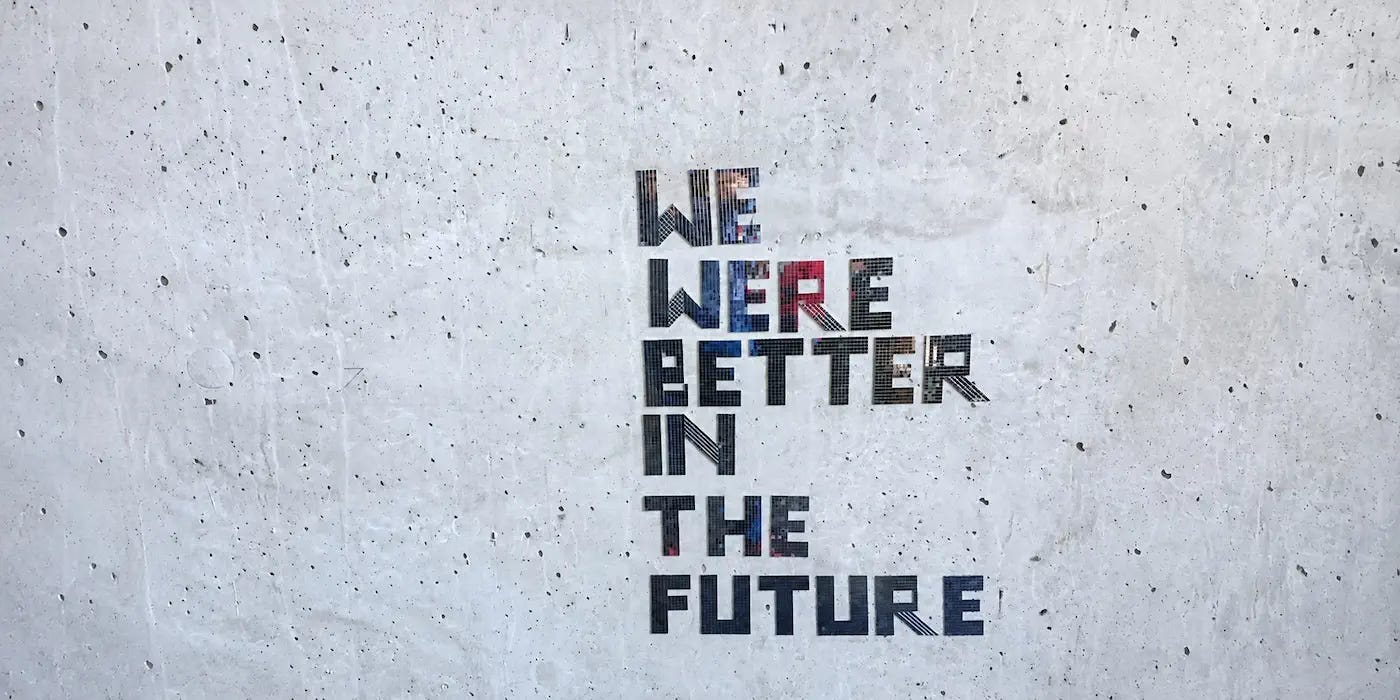
Putting “Better” Before “Faster”
Even at 80, my mother remains actively involved in various community and social activities. A few days ago, I learned that she was preparing to give a talk based on a newly released government report running over 10,000 Chinese characters. I couldn’t help but worry about her. After all, reading and distilling such a lengthy, rather dry document is no small task. But as we talked, I discovered that she had already been using AI to organize the material, identify key points, and even compare previous versions to trace how the report had evolved. I was genuinely surprised. I knew she had started using AI to some extent, but I hadn’t expected her to incorporate it so naturally into her everyday work.
Almost without us noticing, AI has become part of more and more people’s daily lives. As a tool, it not only improves efficiency but also frees us from much of the tedious work that consumes our time, giving us more room to think, create, and ultimately produce better results. Yet this potential to make the outcome better seems to receive far less attention than it deserves. For now, much of the public conversation remains focused on how much more efficiently AI allows us to work.
Over the past few months, I’ve been working on a small project. When I first started, I gave serious thought to a question: Should I use AI to finish development faster, or should I use it to achieve a level of polish and maturity that would have been beyond my reach as a solo developer before AI? In the end, I chose the latter.
Given the project’s scope, I probably could have built a basic version in two or three weeks if I’d written all the code myself two years ago. Yet here I am, two or three months later, barely past the halfway point. And I have no regrets. I can genuinely feel that AI is helping me build something more solid, with results that are much closer to what I originally envisioned. Although I no longer write every line of code myself, I still maintain control over the details by moving forward in small steps and continuously verifying the results.
On the surface, development has slowed down. But looked at another way, much of the research, design, and refinement I’m doing now would previously have been abandoned or rushed through simply because I lacked the time and energy. Today, AI makes it possible for me to take on that additional work. It hasn’t made me less productive. Instead, it has allowed me to turn greater productivity into a higher level of quality and polish.
Of course, not everyone or every team will choose to invest the productivity gains from AI into improving quality. In a commercial environment especially, greater productivity often translates into tighter delivery deadlines. Last week’s widespread disruption to Microsoft’s email services, along with the nationwide ground stop imposed by the U.S. Federal Aviation Administration (FAA) following a failure in its air traffic control communications system, served as reminders of just how important the reliability of large-scale technical systems is. There is no evidence that either incident was caused by AI-generated code. Nevertheless, as AI continues to accelerate software development and delivery, whether testing, verification, and quality assurance can keep pace is a question the entire industry needs to take seriously.
I believe AI’s value should not be measured solely by how much time it saves or how much it reduces costs, but also by what it enables us to create. When efficiency becomes the easiest metric to measure, perhaps we should remind ourselves from time to time that the time and energy AI frees up can be used not only to do more and move faster, but also to do things better.
My hope is that everyone using AI, whether individuals or organizations, will continue to put “better” before “faster,” even as they pursue greater efficiency.
Previous Issue|Newsletter Archive
📢 Sponsor Fatbobman’s Swift Weekly
Promote your product to Swift & iOS developers across:
- Blog: 50,000+ monthly visitors
- Newsletter: 5,000+ subscribers, 50% open rate
Perfect for developer tools, courses, and services.
Enjoyed this issue? Buy me a coffee ☕️
Recent Recommendations
How we rebuilt the Shopify app in 12 weeks
Not long after Shopify announced its return to native development in September, the company delivered an impressive result. In this article, Remi Vanhee explains how Shopify used coding agents to rebuild its mobile app from React Native into native Swift and Kotlin applications in just 12 weeks. Following the rewrite, Android startup time decreased by approximately 50%, app size shrank by 40%, and peak memory usage on iOS dropped by 70%.
As code generation becomes dramatically faster, development bottlenecks are shifting toward build resources, code review, merging, and team coordination. To give agents faster and more reliable feedback, Shopify introduced the Reflex architecture, which allows business logic to run independently of devices. Through a CLI, developers can load ViewModels, trigger Actions, and verify state in milliseconds. An internal tool called Helix uses the original app as a reference, breaking migration tasks into small, verifiable steps. Meanwhile, the team adjusted its development workflow through remote development environments, agent-assisted preliminary reviews, and pair programming, gradually shifting engineers’ focus from writing implementations to architecture design, verification mechanisms, and final decision-making.
The rewrite has sparked considerable discussion in the community. Did the 12 weeks include the initial architecture and tooling work? Could similar performance improvements have been achieved by investing equivalent resources in optimizing the original React Native app? And what will the long-term maintenance costs look like for two native codebases largely generated by agents? These questions will take time to answer. But Shopify’s experience demonstrates at least one thing: when code generation is no longer the primary bottleneck, architectural constraints, observability, and verification become even more important.
Breakpoints Go Grey When You Turn On the Xcode Compile Cache
After enabling Tuist’s compile cache in Xcode 27.1, Lee YoungJun found that his app built and ran normally, but breakpoints remained greyed out and never triggered. After investigating, he discovered that the problem wasn’t the cache itself, but a missing LLDB source file mapping for the virtual paths used in debugging information.
To make the compile cache independent of a project’s absolute path, Xcode 27 replaces source file paths in debugging information with virtual prefixes such as /^src. Although Tuist generates an LLDB initialization file containing cache-related configuration, the version the author was using lacked the target.source-map setting needed to map /^src back to the actual project directory. Ultimately, adding a single LLDB command restored the breakpoints.
What’s new in Swift: November 2026 Edition
Swift has published its November roundup of project and community updates, written by Dave Verwer and Dave Lester. The article opens with a reminder of an important approaching deadline: after a two-year transition period, CocoaPods will officially stop accepting new pods and version updates on December 2, 2026, entering read-only mode. While this won’t immediately break existing projects, teams that haven’t migrated yet should seriously consider moving to SwiftPM. As for SwiftPM’s own evolution, I’m particularly interested in SE-0545 (build performance debugging) and SE-0547 (SwiftPM compile caching), both of which have been accepted. Meanwhile, SE-0560 proposes introducing conditional dependencies based on build configurations such as Debug and Release.
As an independent developer, I rarely worried about compilation or testing times back when I wrote all my code by hand. But with agents working in parallel and test coverage expanding, the development process is undergoing a structural shift. Build efficiency, observability, and verification capabilities are becoming increasingly important. As CocoaPods approaches its official farewell, these recent SwiftPM improvements seem particularly well-timed, addressing emerging needs in modern development workflows at the toolchain level.
What is GlassEffectContainer in SwiftUI and how to use it
GlassEffectContainer is an important SwiftUI component for creating the merging and morphing animations of Liquid Glass elements. It not only allows adjacent glass shapes to merge naturally, but also works with glassEffectUnion, glassEffectID, and glassEffectTransition to control shape grouping and animations when elements appear or disappear. While explaining how to use these APIs, Sarun Wongpatcharapakorn also shares some interesting details discovered through hands-on testing.
The spacing parameter doesn’t simply determine the distance between shapes; it affects how far apart they can be before merging. Sarun found that two shapes separated by 12pt required the container’s spacing to be set to approximately 24pt before they began to touch. Another finding concerns glassEffectID: although Apple’s official examples use it to implement morphing animations, the author observed that animations still worked correctly without an ID in some scenarios. Conversely, in certain morphing transitions between different positions, specifying an ID actually caused the animation to jump abruptly.
Presenting contextual controls with SwiftUI’s inspector
SwiftUI’s inspector provides an adaptive contextual panel: it appears as a sidebar alongside the main content in wide layouts and automatically transforms into a sheet in compact environments. Compared with .sheet, it has received relatively little attention, especially on the iPhone. However, through testing on iOS 27.2, Natascha Fadeeva discovered that its behavior isn’t entirely consistent with that of a regular sheet. For example, after dismissing an Inspector with a downward swipe, it may fail to reopen; the width specified through inspectorColumnWidth may have no effect; and changing the selected detent through a Binding doesn’t dynamically adjust its height as it does with a regular .sheet.
Despite these remaining issues, the adaptive nature of inspector gives it more room to shine on devices such as the iPhone Duo, where available space changes as the device folds and unfolds.
Trust and Authorship
As AI becomes increasingly involved in creative work, an unprecedented tension is emerging between the quality of a work and the process through which its creator produced it. Drawing on the case of a novelist who lost a publishing opportunity over suspected AI use, as well as the controversy surrounding AI disclosure in the indie game Big Walk, Matthew Massicotte explores the increasingly complicated relationship between authorship and public trust in the AI era.
In Matthew’s view, the issue isn’t simply how much AI was used, but that creators and audiences may have fundamentally different understandings of what authorship means. Failing to disclose AI use could eventually be seen as concealment, while voluntarily disclosing it may trigger immediate backlash. Even creators who haven’t used AI at all can suffer from false accusations. When people can no longer judge how much personal effort a creator invested simply by looking at the finished work, trust becomes increasingly fragile.
A few days ago, a song with human-written lyrics and AI-assisted composition and vocals topped Melon TOP100, one of South Korea’s most influential music charts, sparking concern and discussion across the music industry and wider society. Perhaps a considerable portion of listeners don’t care much about how a work was created. From another perspective, however, AI may also act as a catalyst for public sentiment, further amplifying discussion and exposure around a work.
As Matthew discusses, attitudes toward AI-assisted creation vary significantly across different fields and cultural contexts. In my view, the quality of the work itself remains essential, but the creative process can also influence how people perceive its value. Using AI doesn’t necessarily diminish a work’s value, just as the absence of AI should never automatically be taken as a guarantee of quality.
Tools
Yardlet: A Native Multi-Agent Workspace Built with Swift
Yardlet is an open-source macOS coding agent workspace built with Swift and SwiftUI by Jeongki Park. It supports managing multiple agents, including Claude Code, Codex, OpenCode, and Antigravity, within a single window. It uses existing CLI accounts and sessions, obtaining runtime status through native protocols without installing global hooks or modifying agents’ global configurations. It also provides multi-account management, token usage statistics, diff review, MCP connectors, browser automation, and remote control from mobile devices or other Macs.
The author has also written a technical comparison of nine desktop coding agent tools, examining how they obtain agent status, modify the runtime environment, and differ in memory overhead. Rather than simply comparing features, the article offers a more interesting look at how different integration approaches affect the development environment.
Heimdall: Managing App Store Connect Safely with AI Agents
Heimdall, developed by Eray Endes, is an open-source MCP server that exposes the App Store Connect API and App Store Server API as tools callable by AI agents. It covers app releases, TestFlight, subscription management, customer reviews, sales data, and more. The project organizes its tools into profiles based on business scenarios and provides higher-level operations such as cross-region subscription pricing, review summaries, and draft replies.
Compared with tools that focus primarily on API coverage and automation capabilities, Heimdall places greater emphasis on operational safety. It stores API credentials in the macOS Keychain, supports read-only mode, and requires explicit human confirmation for high-risk operations such as price adjustments and permission changes. These design choices also extend its potential audience beyond developers to non-technical roles such as operations, marketing, and customer support.
Thanks for reading Fatbobman’s Swift Weekly! This post is public so feel free to share it.
把「更好」放在「更快」之前
尽管已经 80 岁,我的母亲仍然活跃于各种社会工作中。几天前得知,她将在不久后的一次讲座中,以一份新出炉的万字政府报告为引子展开讨论时,我不免为她担心起来。毕竟,阅读、提炼这样一篇既长又枯燥的报告相当辛苦。但在沟通过程中,我得知她竟然已经使用 AI 帮自己梳理了内容、查找了重点,甚至还对历史版本进行了比对与脉络整理,这着实让我有些惊讶。尽管我知道她已经开始有限度地使用 AI,但没想到她会如此自然地将其融入日常工作。
不知不觉间,AI 已经走进了越来越多人的日常。作为一种工具,AI 在提升效率的同时,也将人们从许多枯燥的工作中解放出来,让我们有机会把更多精力投入到思考与创造中,从而获得更好的成果。只是,「让成果变得更好」这一面似乎并没有得到充分展现,现阶段整个社会的关注点更多还是集中在 AI 对效率的贡献上。
过去几个月,我一直在开发一个小项目。立项伊始,我便认真思考过:是借助 AI 更快地完成开发,还是利用它实现一个在没有 AI 的时代,凭我个人能力难以企及的成熟度?最终,我选择了后者。以这个小项目的体量,放在两年前纯手写代码,我大概两三周就能基本完成;但现在两三个月过去了,进度才刚刚过半。不过,我并没有任何遗憾,因为我真切地感受到,AI 让项目的实现更加扎实,最终呈现也更符合预期。虽然不像过去那样亲自写下每一行代码,但通过小步推进、不断验证的方式,我依然保持着对细节的掌控。表面上看,开发进度变慢了,但换个角度想,许多调研、设计与打磨工作,在过去我或许会因为时间和精力有限而直接放弃,或是草草了事。如今,AI 让我有能力承担这些额外的工作。它并没有降低我的开发效率,而是让我将效率的提升转化为了更高的完成度。
当然,并不是每个人或每个团队都会选择将 AI 带来的效率提升用于打磨质量。尤其在商业环境中,更高的生产力往往意味着更紧迫的交付目标。上周,微软邮件服务的大范围故障,以及美国 FAA 因空管通信系统异常而实施的全国范围地面停飞,再次提醒我们大型技术系统的可靠性有多么重要。尽管没有证据表明这些事件与 AI 生成的代码有关,但随着 AI 不断加快软件开发与交付的节奏,测试、验证与质量保障能否同步跟上,仍然是值得整个行业认真思考的问题。
我相信,AI 的价值不应仅仅体现在节省了多少时间、降低了多少成本,更应该体现在它能帮助我们创造出怎样的成果。当「效率」成为最容易衡量的指标时,我们或许也应该时常提醒自己:那些被 AI 节省下来的时间和精力,除了用来做得更多、做得更快,也可以用来做得更好。希望每一个使用 AI 的团体与个人,都能在追求效率的同时,依然愿意把「更好」放在「更快」之前。
如果您发现这份周报或我的博客对您有所帮助,可以考虑通过 Buy Me a Coffee 支持我的创作。
近期推荐
12 周重构 Shopify 原生应用 (How we rebuilt the Shopify app in 12 weeks)
Shopify 在今年 9 月宣布重新回归原生开发后,没过多久便交出了一份颇具分量的答卷。在本文中,Remi Vanhee 介绍了 Shopify 如何借助 Coding Agent,在 12 周内将其移动应用从 React Native 重构为原生 Swift 和 Kotlin 应用。重构后,Android 启动时间缩短约 50%、应用体积减少 40%,iOS 峰值内存降低 70%。
随着代码生成速度大幅提升,开发瓶颈也逐渐转移到构建资源、代码审查、合并与团队协调等环节。为了让 Agent 获得更快、更可靠的反馈,Shopify 引入 Reflex 架构,让业务逻辑能够脱离设备运行,通过 CLI 在毫秒级加载 ViewModel、触发 Action 并验证状态。内部工具 Helix 则以原有应用为参照,将迁移任务拆分成可验证的小步骤。与此同时,团队通过远程开发环境、Agent 预审以及双人协作等方式调整开发流程,让工程师的工作重心逐渐从编写具体实现转向架构设计、验证机制与最终决策。
这次重构在社区中引发了不少讨论:12 周是否包含前期架构与工具开发?如果投入同等资源优化原有 React Native 应用,是否也能取得类似的性能收益?由 Agent 大量生成的两套原生代码,长期维护成本又会如何变化?这些疑问仍需时间给出答案。但 Shopify 的实践至少表明,当代码生成不再是主要瓶颈,架构约束、可观察性和验证能力的重要性反而更加突出。
开启 Tuist 编译缓存后,为什么 Xcode 断点失效了?(Breakpoints Go Grey When You Turn On the Xcode Compile Cache)
Lee YoungJun 在 Xcode 27.1 中开启 Tuist 的编译缓存后,应用能够正常构建和运行,但断点却始终显示为灰色,无法触发。经过排查,他发现问题并非缓存本身,而是调试信息中的虚拟路径缺少对应的 LLDB 源文件映射。
为了让编译缓存不受项目绝对路径影响,Xcode 27 会将调试信息中的源文件路径替换为 /^src 等虚拟前缀。虽然 Tuist 会生成包含缓存配置的 LLDB 初始化文件,但在作者使用的版本中,缺少将 /^src 映射回实际项目目录的 target.source-map 设置。最终,作者通过补充一条 LLDB 命令,让断点重新生效。
Swift 2026 年 11 月动态 (What’s new in Swift: November 2026 Edition)
Swift 官方发布了 11 月的项目与社区动态汇总,由 Dave Verwer 和 Dave Lester 撰写。文章开篇特别提醒了一个重要时间节点:经过两年的过渡期,CocoaPods 将于 2026 年 12 月 2 日正式停止接收新 Pod 与版本更新(进入只读状态)。虽然这不会立刻导致现有项目构建失败,但尚未迁移的团队确实需要抓紧转向 SwiftPM 了。而在 SwiftPM 自身的演进中,我个人比较关注的 SE-0545(构建性能调试)和 SE-0547(SwiftPM 编译缓存)相继获得接受,SE-0560 则计划为 SwiftPM 引入基于构建配置(如 Debug/Release)的条件依赖能力。
作为一名独立开发者,在纯手写代码的年代,我几乎从未被编译或测试耗时所困扰。但随着 Agent 并行开发、测试覆盖范围扩大,开发流程正在发生结构性变化,构建效率、可观察性与验证能力也变得愈发重要。在 CocoaPods 即将正式谢幕的当下,SwiftPM 近期的这些改进,恰好从工具链层面回应了开发流程中正在出现的新需求。
SwiftUI 中的 GlassEffectContainer 详解 (What is GlassEffectContainer in SwiftUI and how to use it)
GlassEffectContainer 是 SwiftUI 实现 Liquid Glass 元素融合与变形动画的重要组件。它不仅能让相邻的 Glass 形状自然融合,还能配合 glassEffectUnion、glassEffectID 和 glassEffectTransition 控制形状组合及出现、消失时的动画效果。Sarun Wongpatcharapakorn 在介绍这些 API 使用方式的同时,也分享了一些实际测试中发现的有趣细节。
spacing 并非简单地决定形状之间的间距,而是影响它们能够发生融合的距离。Sarun 发现,两个间隔 12pt 的形状,需要将容器的 spacing 设置到约 24pt 才开始接触。另一个发现则与 glassEffectID 有关:尽管 Apple 的官方示例使用它来实现变形动画,但在作者测试的部分场景中,即使不设置 ID,动画依然能够正常工作;而在某些跨位置的变形场景中,设置 ID 反而导致动画直接跳变。
使用 SwiftUI 的 inspector 呈现上下文面板 (Presenting contextual controls with SwiftUI’s inspector)
SwiftUI 的 inspector 是一种自适应的上下文面板:在宽屏环境下作为主内容旁的侧边栏呈现,在紧凑宽度下则自动转换为 Sheet。相比 .sheet,它一直没有太高的存在感,尤其是在 iPhone 上。但 Natascha Fadeeva 在 iOS 27.2 的实测中发现,它与普通 Sheet 的行为并不完全一致。例如,通过下滑手势关闭 Inspector 后可能无法重新打开;inspectorColumnWidth 的宽度设置没有生效;通过 Binding 修改选中的 Detent,也无法像普通 .sheet 那样动态调整高度。
尽管目前仍存在一些问题,但对于 iPhone Duo 这样可用空间随设备开合而变化的形态,inspector 的自适应能力也让它有了更多发挥空间。
信任与作者身份 (Trust and Authorship)
随着 AI 越来越深入地参与创作,作品的质量与作者的创作过程之间,正在出现一种前所未有的信任困境。Matthew Massicotte 从一位小说家因涉嫌使用 AI 而失去出版机会,以及独立游戏《Big Walk》围绕 AI 使用披露引发的争议谈起,探讨了 AI 时代创作者身份与公众信任之间日益复杂的关系。
在 Matthew 看来,问题并不只是使用了多少 AI,而是创作者与受众对「作者身份」的理解可能存在根本差异。不披露 AI 使用情况,可能在未来被视为隐瞒;主动披露,又可能立即引发抵制。甚至完全没有使用 AI 的创作者,也可能因为错误指控而受到伤害。当人们不再能够通过作品判断作者究竟投入了多少个人劳动,信任便变得更加脆弱。
几天前,一首由人类创作歌词、AI 参与作曲与演唱的歌曲,登顶了韩国最具影响力的音乐排行榜之一——Melon TOP100,同样引发了音乐行业的警惕与社会讨论。或许相当一部分听众并不十分在意作品的创作手段与过程;但从另一个角度看,AI 也可能成为引发社会情绪的催化剂,进一步推高作品的讨论度与传播范围。
正如 Matthew 所讨论的,不同领域、不同文化背景下,人们对于 AI 参与创作的接受程度存在巨大差异。在我看来,作品本身的质量始终重要,但创作过程同样可能影响人们对其价值的判断。使用 AI 并不必然降低作品的价值,而没有 AI 参与,也不应自动成为作品质量的保证。
工具
Yardlet:使用 Swift 构建的原生多 Agent 工作台
Yardlet 是 Jeongki Park 使用 Swift 和 SwiftUI 开发的开源 macOS Coding Agent 工作台,支持在同一窗口中管理 Claude Code、Codex、OpenCode、Antigravity 等多个 Agent。它直接使用现有 CLI 的账户与会话,通过原生协议获取运行状态,不安装全局 Hooks,也不修改 Agent 的全局配置。同时提供多账户管理、Token 统计、Diff 审查、MCP Connectors、浏览器自动化,以及手机端与跨 Mac 远程控制等功能。
作者还撰写了一篇 九款 Coding Agent 桌面工具的技术对比,分析它们如何获取 Agent 状态、修改运行环境,以及各自的内存开销。相比单纯比较功能,这篇文章更值得关注的是不同集成方式对开发环境的影响。
Heimdall:让 AI Agent 安全地管理 App Store Connect
Eray Endes 开发的 Heimdall 是一个开源 MCP Server,将 App Store Connect API 和 App Store Server API 封装为 AI Agent 可调用的工具,涵盖应用发布、TestFlight、订阅管理、用户评价及销售数据等功能。项目按照业务场景划分 Profile,并提供跨地区订阅定价、用户评价汇总与回复草稿等高级操作。
与侧重 API 覆盖范围和自动化能力的工具相比,Heimdall 更强调操作过程中的安全控制:通过 macOS Keychain 保存 API 密钥,支持只读模式,并对价格调整、权限变更等高风险操作要求明确的人工确认。这些设计也让工具的使用场景从开发者进一步延伸至运营、市场和客服等非技术岗位。